
Security Cameras and Video Preservation
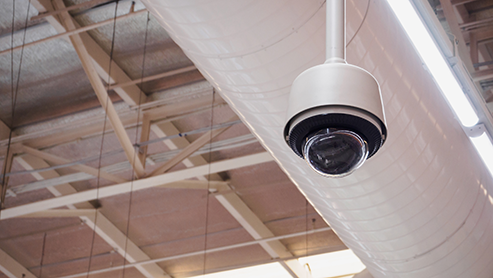
Security camera footage can be invaluable when investigating insurance claims. Beyond documenting property damage or criminal activity, video can be key to verifying liability claims like slips, trips, and falls, which often occur on a business’s premises. Help us help you by following video surveillance best practices.
BEST PRACTICES
- Purchase
Select high-resolution cameras. Quality models are not necessarily expensive ones. - Placement
Be sure to cover all entrances and exits. Eliminate blind spots in key areas like cash registers, parking lots, and storage. Maintain good lighting in those areas, especially at night. Ask: Where have previous incidents occurred? - Installation
Set correct dates/time on all cameras. Ensure adequate storage and avoid loop systems that record over old footage too quickly. - Maintenance
Keep lenses clean and unobstructed. Check regularly that cameras are recording. Continual surveillance (24/7) is recommended. Test playback and export features periodically. - Retention
Preserve relevant video by storing footage on a digital video recorder or remote cloud storage. Label exported data (digital or hard copies) with dates and areas to make search and retrieval easier. - Security
Limit camera access to authorized personnel.
AFTER AN INCIDENT
Preservation
Save the video footage before, during, and after an incident — 30-60 minutes surrounding the event is best. Capture all camera angles and make multiple copies of the file. Label each file with the date, time, and location of surveillance. Do not edit or alter the footage.
For DVR or on-site systems, log in and locate the incident by date and time. Export or download the video to a USB drive or a computer.
For cloud-based systems, log into the app/account and locate the footage by date and time. Download the footage to a phone and computer.
If unsure, contact your provider or camera vendor immediately.
Gather Other Important Evidence
- Take photos of the scene
- Collect witness names and contact info
- Keep incident reports or notes
- Save emails or text messages
- Gather maintenance or inspection records
- Document any property damage
REPORT CLAIMS TO US IMMEDIATELY
Call 1-888-NEW-CLMS (1-888-639-2567), log into our Policyholder Service Center, get the BHGUARD app from the App Store or Google Play, or visit our Claims Center to complete an online form.
Easy Video Upload!
Sharing your video files with GUARD is easy by using our upload function available from our Claims Center. Just be sure to include your claim number (if available), policy number, or any other identifying details in the file description.
Disclaimer: The GUARD Wire is designed to provide general information about various topics of interest and should NOT replace the guidance, advice, or recommendations from licensed insurance or legal professionals, other industry experts, or state and federal authorities.